SC-003 · BUILT TO ORDER
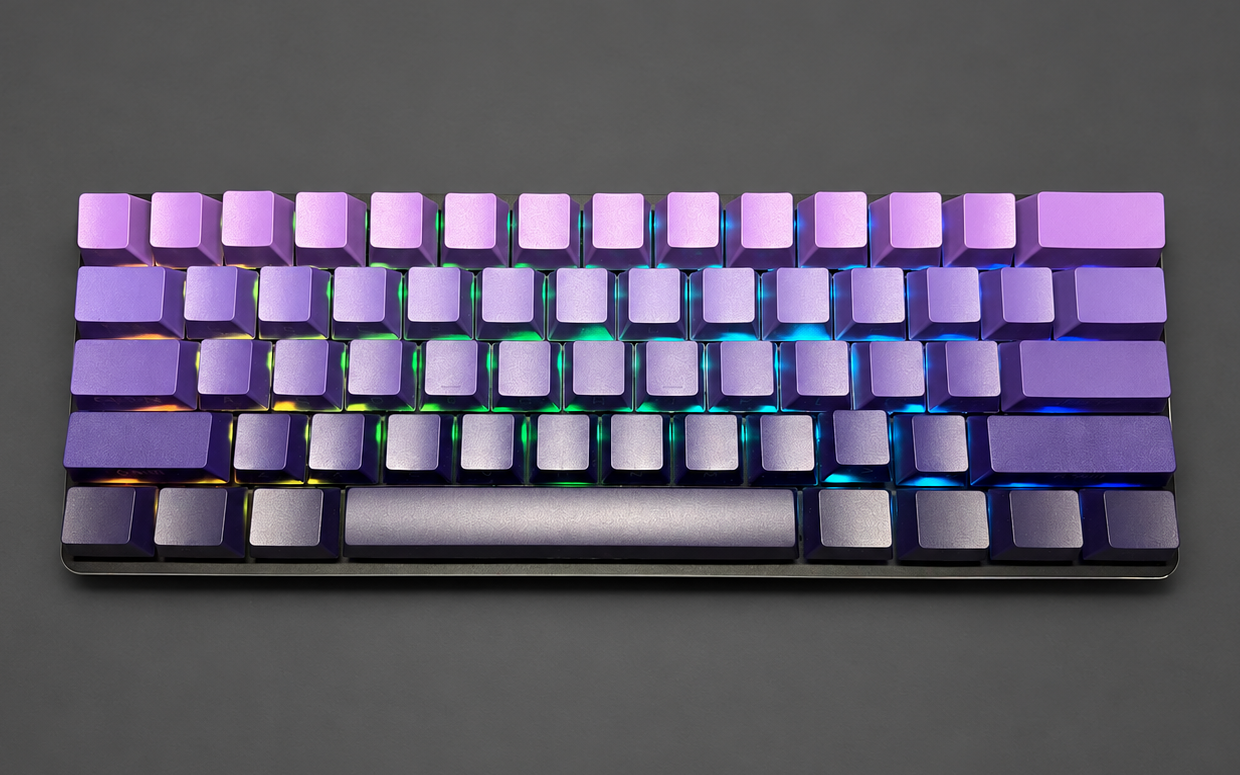
Nebula 60
A compact footprint with room to choose your feel. Five switch options and three keycap colors.
From $109.99 + $14.99 U.S. shippingConfigure Nebula → SWITCH CUSTOMS
THE SWITCH CUSTOMS SHOWROOM
A little guidance goes a long way. Compare the builds, hear the difference, and find the details that matter to you.
01 / YOUR STARTING POINT
Tell us about your desk, your typing and your budget. We’ll point you toward a finished build or a custom plan.
Choose your layout, feel, connection, sound and budget with our interactive finder.
02 / KNOW THE DIFFERENCE
Same attention to the build. Different layouts, looks and choices. Start with the details you’ll notice every day.
A compact footprint with room to choose your feel. Five switch options and three keycap colors.
From $109.99 + $14.99 U.S. shippingConfigure Nebula →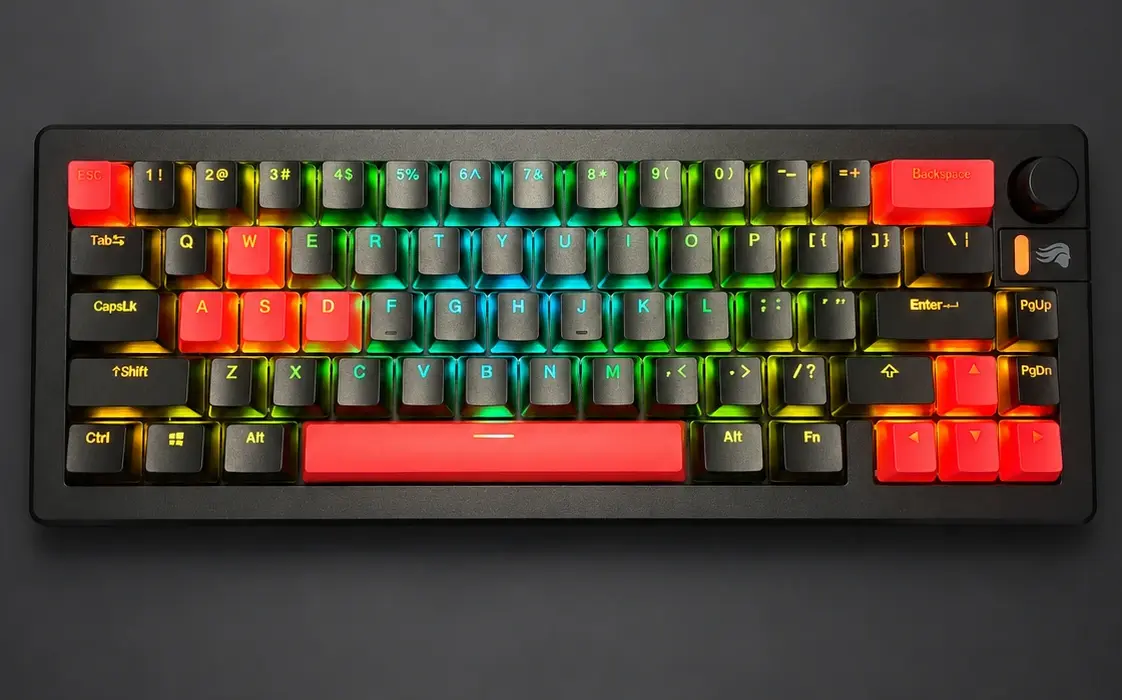
Dedicated arrow keys, a volume knob and a bold black-and-orange finish. The photographed configuration, ready to explore.
$129.99 + $14.99 U.S. shippingExplore Inferno →| At a glance | Nebula 60 | Inferno 65 |
|---|---|---|
| Layout | 60% · compact footprint | 65% · dedicated arrows + knob |
| Base | Glorious GMMK 2 | Glorious GMMK 3 |
| Connection | Wired USB | Wired USB |
| Switches | 3 linear options, 1 tactile, 1 clicky | Gateron Milky Yellow V3 linear |
| Keycaps | Purple gradient, all white, or all black · no added charge | Black + orange pudding |
| Keyboard price | $109.99–$119.99, based on switches | $129.99 before promotions |
| With U.S. shipping | $124.98–$134.98 before tax | $144.98 before tax |
| Best starting point for | Desk space and a choice of switch feel | Arrow keys, a knob and the orange/black look |
Prices above exclude promotions. LAUNCH10 may take $10 off an eligible keyboard; Stripe confirms eligibility and your final total. Nebula photos show purple keycaps; the Nebula sound test features Kailh BOX Black switches. Your selected configuration is built and tested before dispatch. Shipping details · Returns & workmanship coverage
Let’s choose a different foundation and build around your priorities.
03 / PRESS PLAY
Choose a build, then play its actual recording. Headphones help you hear the details.
Kailh BOX Black · firm linear
Listen in order: Typing → Left Shift → Spacebar → Right Shift → Enter → Backspace
Purple keycaps and BOX Black switches. Other configurations sound different.
Open recording ↗These are recorded keyboards, with background noise reduced and pauses trimmed. Recording conditions and playback volume vary, so use them to explore character, not to measure loudness. The Q4 is a past customer build, not a stocked product.
04 / FIND YOUR FEEL
Start with how a switch feels. Then use the whole keyboard’s recording to explore its sound.
A continuous press without a deliberate tactile bump or click. Spring weight changes how light or firm it feels.
Try Nebula’s light linear option →A noticeable bump during the press. It adds feedback without a dedicated click mechanism; tactile does not automatically mean quiet.
Explore the CHERRY MX Clear option →A tactile response with an intentional click. Fun if you like audible feedback; consider anyone sharing your room.
Explore the Speed Bronze option →The switch, keycaps, case, desk and how you type all contribute. Ask for silent switches if low noise is your priority.